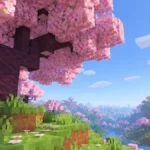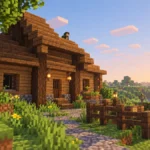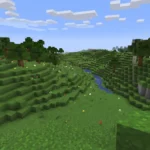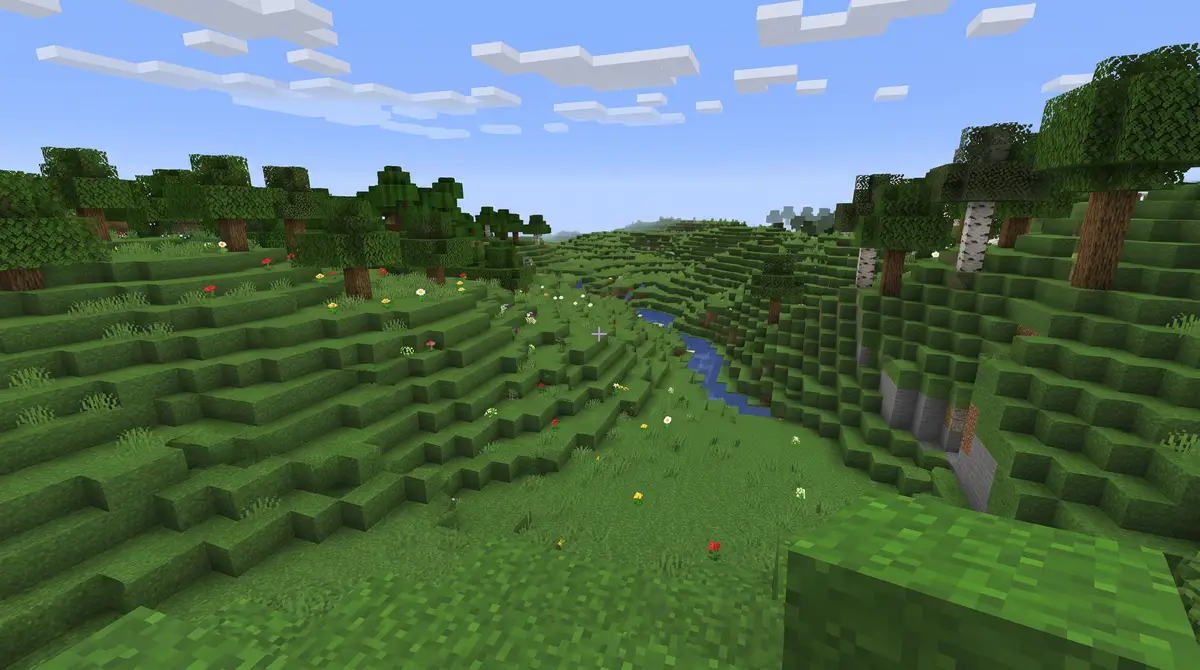
Give your Minecraft world a more natural appearance with Fast Better Grass, a lightweight resource pack available through Modrinth. It improves the look of grassy terrain by extending the grass texture across the sides of selected blocks, creating a greener and more consistent landscape.
Designed for Minecraft Java Edition, Fast Better Grass works as an add-on alongside other resource packs. It focuses on specific block textures rather than making major changes to the game’s graphics, making it a simple option for players who prefer the original Minecraft style.
About Fast Better Grass
Fast Better Grass enhances the appearance of grass-covered terrain by applying the top-face grass texture to the sides of supported blocks. This reduces the usual contrast between the green upper surface and the exposed dirt-colored edges.
The result is a fuller, more connected grassy look that can make fields, pathways, and outdoor environments appear more visually consistent. Since the pack focuses on a limited group of textures, it can complement other visual improvements without replacing the entire Minecraft texture set.
The resource pack modifies the side textures of several blocks, including:
- Grass Block
- Snow-Covered Grass Block
- Dirt Path
- Podzol
- Mycelium
- Warped Nylium
- Crimson Nylium
Fast Better Grass is a client-side cosmetic modification. Other players generally do not need to install it to see their own game world with its changes, unless a particular server has its own resource-pack requirements.
Tips for Combining Fast Better Grass with Other Packs
Fast Better Grass can be used alongside a primary texture pack to customize your world’s appearance. For the intended result, enable your main resource pack first and place Fast Better Grass above it in the Selected Resource Packs list.
This arrangement gives the add-on priority when both packs modify the same textures. Keep in mind that the final appearance depends on the contents and compatibility of the resource packs you combine.
You can also experiment with packs such as Better Leaves, Simple Grass Flowers, and Os’ Colorful Grasses to create a more detailed outdoor environment. Check the instructions for each add-on and adjust the loading order whenever textures do not appear as expected.
Main Features of Fast Better Grass
Greener Grass Block Sides
The pack extends the grass texture onto the sides of supported blocks, helping grassy terrain look more continuous and less exposed along its edges.
Support for Multiple Terrain Blocks
In addition to regular grass blocks, the pack includes several related blocks, such as dirt paths, podzol, mycelium, and the two types of nylium.
Compatible with Resource Pack Combinations
Fast Better Grass is designed to work as a supplementary visual pack. You can combine it with other textures, provided their files and Minecraft versions are compatible.
Lightweight Visual Enhancement
Instead of introducing a large collection of new models or replacing every texture, the pack concentrates on selected block surfaces. This makes it a straightforward choice for players looking for a simple graphical improvement.
Frequently Asked Questions
Does Fast Better Grass work with other resource packs?
Yes, it can be combined with other resource packs. Place Fast Better Grass above your primary pack when you want its grass-side textures to take priority. Results may vary if another pack changes the same blocks.
Which blocks are affected by Fast Better Grass?
The listed blocks include grass blocks, snow-covered grass blocks, dirt paths, podzol, mycelium, warped nylium, and crimson nylium.
Does everyone on a multiplayer server need this pack?
Usually, no. Fast Better Grass changes the appearance of blocks on your own client. However, individual servers may have separate resource-pack policies or requirements.
Does Fast Better Grass change the entire Minecraft world?
No. Its purpose is to improve the side textures of selected grassy and related blocks. It does not replace the entire game’s texture collection.
How to Install Fast Better Grass
Follow these steps to install Fast Better Grass in Minecraft Java Edition:
- Visit the official Modrinth project and download the file that matches your Minecraft version.
- Start Minecraft and open Options → Resource Packs.
- Select Open Pack Folder to access your resource-pack directory.
- Place the downloaded ZIP archive inside the folder without extracting it.
- Return to Minecraft and locate Fast Better Grass in the available resource packs.
- Move it into the Selected Resource Packs section and place it above your main texture pack when necessary.
- Click Done and enter your world to check the updated block textures.
Always check the project’s version information before downloading. If you use several resource packs together, adjust their priority to ensure that Fast Better Grass displays its intended textures.
Final Thoughts
Fast Better Grass is a practical choice for Minecraft players who want greener-looking terrain without changing the game’s familiar visual identity. By extending grass textures onto the sides of supported blocks, it creates a cleaner appearance across fields, paths, and other outdoor areas.
Its focused design also makes it useful as an add-on for players who already use other resource packs. Download it from the official Modrinth project, confirm version compatibility, and arrange your resource packs to achieve the desired look.