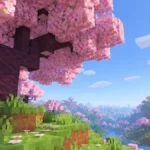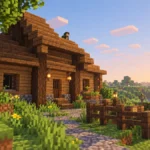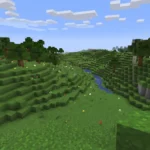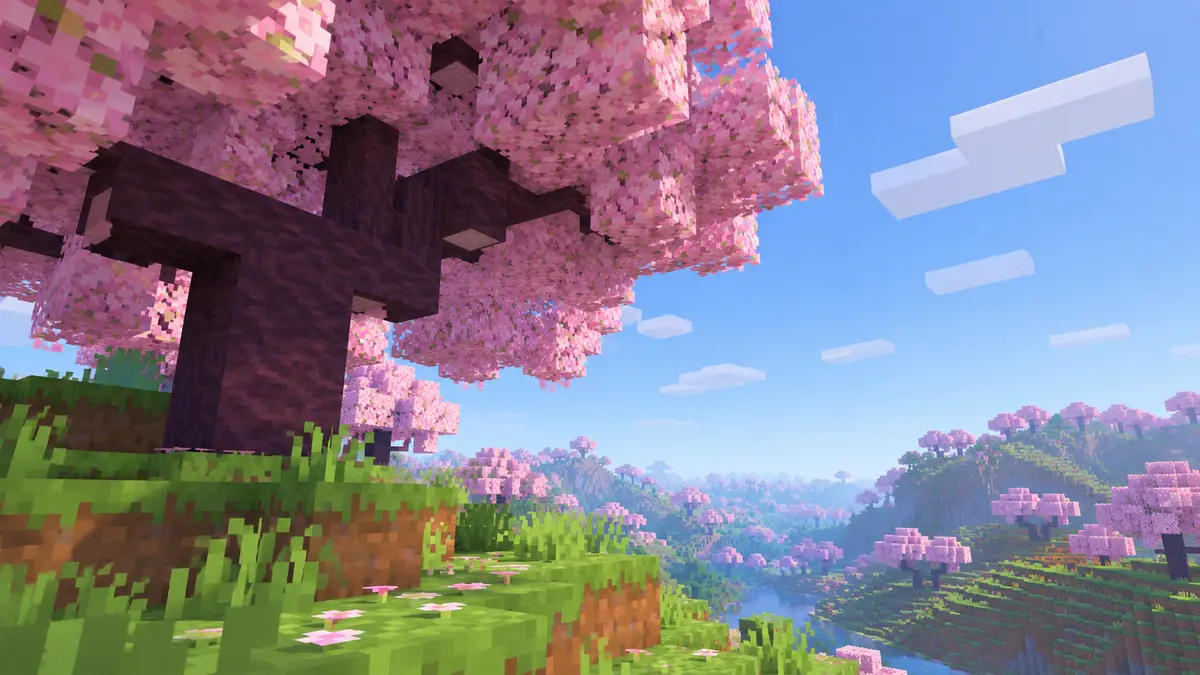
Bare Bones is a lightweight Minecraft texture pack created by RobotPants that brings the bright, simple visual style of Minecraft’s official trailers into your game. Available for Java Edition and Bedrock Edition, including compatible MCPE platforms, this 16× pack replaces standard textures with cleaner shapes, balanced colors, and gentle shading. You can find the official Java download through Modrinth, with supported versions ranging from newer releases to older Minecraft editions.
What Makes Bare Bones Special?
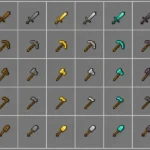
Bare Bones gives Minecraft a polished appearance inspired by the artwork and promotional videos released by Mojang. Instead of changing the familiar look of the game completely, it keeps the original block proportions while simplifying the details on blocks, creatures, tools, and other items.
The result is a world with a bright, cartoon-inspired appearance. Green landscapes, wooden houses, desert structures, and underground areas all benefit from the pack’s smooth colors and minimal textures.
This pack covers most of Minecraft’s everyday visuals, including terrain blocks, ores, wood, mobs, items, and selected interface elements. Because it uses a standard 16× texture resolution, it can be a practical choice for players who prefer a trailer-inspired look without the heavier requirements of high-resolution packs.
For an even more customized experience, you can combine Bare Bones with compatible shaders or optional add-ons. Players who want animated creatures can also explore compatible Fresh Animations add-ons, where supported.
CraftMC directs players to RobotPants’ official Modrinth project rather than hosting a separate copy of the resource pack.
Who Should Use the Bare Bones Texture Pack?
Bare Bones is ideal for Minecraft players who enjoy the colorful, clean appearance seen in official game trailers and promotional screenshots. It offers a noticeable visual refresh without relying on 32×, 64×, or higher-resolution textures.
Its 16× format can also help keep texture memory requirements relatively modest compared with many HD resource packs. Actual performance will still depend on your computer or device, Minecraft version, and any shaders or additional packs you use.
According to the version information provided for this page, release 1.4.12 is intended for Java Edition versions 1.21 through 1.21.11. It may also load in newer 26.x releases, although compatibility is not guaranteed. If Minecraft displays a resource-pack version warning, check compatibility before choosing to continue.
Helpful Tips for the Best Experience
To make sure Bare Bones controls the appearance of your world, place it appropriately in the Selected Resource Packs list. Packs higher in the list generally take priority when multiple packs modify the same textures.
Optional visual enhancements, such as connected-glass packs, Better Leaves variants, and Fresh Animations compatibility files, may need to be placed above the main pack. Follow the instructions provided with each add-on to get the intended result.
The standard Bare Bones pack does not require OptiFine. However, you may need a compatible shader loader or OptiFine when using shaders, depending on your Minecraft setup.
How to Install Bare Bones on Minecraft Java Edition
Follow these steps to add the resource pack to your Java Edition game:
- Open the official Modrinth project and select a Bare Bones file that matches your Minecraft version. Version 1.4.12 is listed for Java 1.21–1.21.11; check current compatibility before using it with newer versions.
- Start Minecraft and open Options → Resource Packs.
- Select Open Pack Folder to access your resource pack directory.
- Move the downloaded ZIP file into that folder. Leave the archive compressed instead of extracting it.
- Return to Minecraft and move Bare Bones into the Selected Resource Packs column.
- Click Done to apply the textures.
If a version compatibility warning appears, do not assume the pack will work correctly simply because the game lets you proceed. Confirm that the file supports your version, then continue only if you are comfortable testing it.
How to Install Bare Bones on Minecraft Bedrock Edition
Bedrock players, including Minecraft PE and MCPE users, can use a compatible Bedrock release on platforms that support importing resource packs.
- Locate the Bedrock download listed for your Minecraft version. Use the relevant official project or CurseForge source linked on the page, and check whether the file is an
.mcpackor ZIP archive. - If you downloaded an
.mcpackfile, open it with Minecraft to begin importing the pack. Some devices may require you to copy the files into the appropriateresource_packsdirectory. - Launch Minecraft Bedrock after the import finishes.
- Open Settings → Global Resources to enable Bare Bones across supported worlds, or open a specific world’s settings and select its Resource Packs section.
- Activate the pack and load your world to check that the textures appear correctly.
When using Bare Bones with other Bedrock resource packs, place compatible overlays or interface add-ons above the main pack if they need to override its textures.
Before downloading, always check the file format and supported game versions. Java resource-pack ZIP files and Bedrock resource-pack files are not automatically interchangeable, so make sure you choose the correct edition for your device.